
Tips, Mishaps & Must-Knows from Hours Working on Electronics
Working with electronics, especially personal computers, can be incredibly rewarding… and equally frustrating. After countless hours troubleshooting issues, upgrading systems, and yes—making a few painful mistakes,the biggest lesson is this:
Success in electronics comes down to preparation, habits, and awareness.
Whether you’re just getting started or already deep into DIY tech work, these tips will help you avoid common pitfalls and work smarter.
Start Here: Protect Your Data First
Before touching hardware or installing software, back up your data.
It only takes one mistake—bad install, short circuit, or malware—to lose everything.
Recommended Backup Methods:
- External Drives (USB flash, HDD, SSD)
- Cloud Storage (Google Drive, OneDrive, Dropbox, iCloud)
- NAS Systems (home network backups)
- Cloning Software (full system image backups)
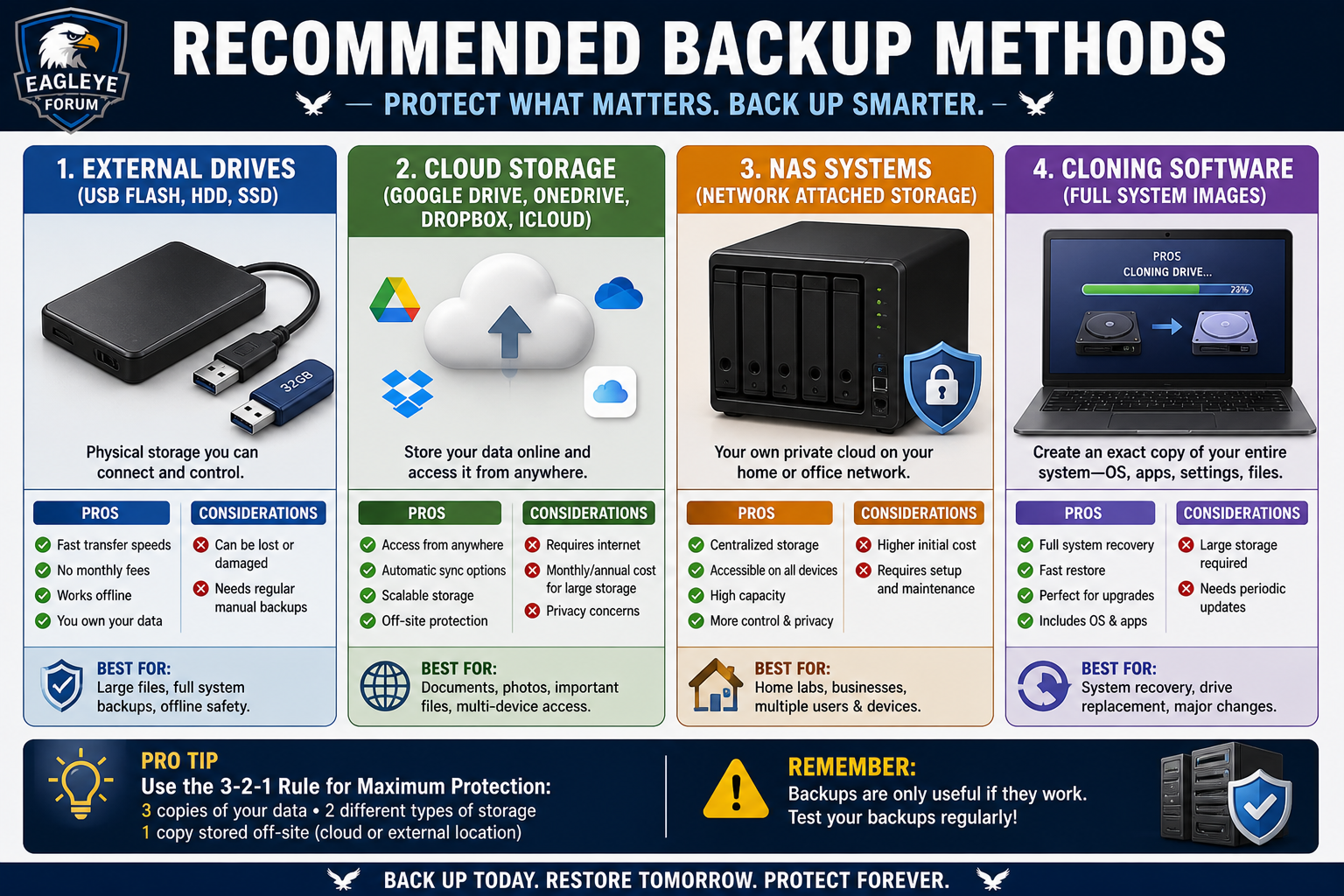
Pro Tip: Automate backups whenever possible. Manual backups get forgotten.
Best Practices for PC Safety & Security
These habits will protect both your system and your personal information.
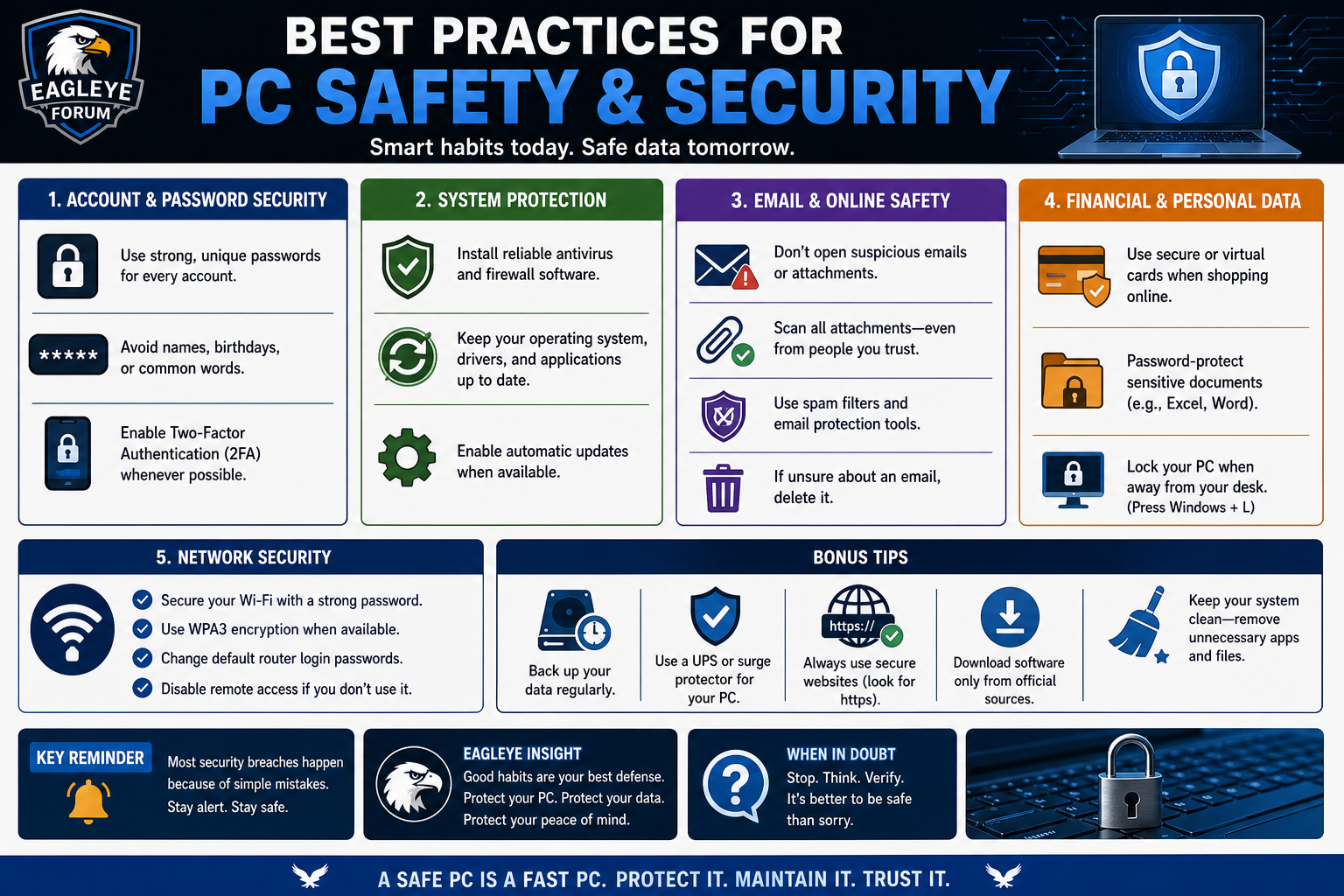
Account & Password Security
- Use strong, unique passwords for every account
- Avoid names, birthdays, or common words
- Enable two-factor authentication (2FA) whenever possible
System Protection
- Install antivirus and firewall software
- Keep your OS, drivers, and apps updated
- Use secure (HTTPS) websites for sensitive data
Email & Online Safety
- Don’t open suspicious emails or attachments
- Scan all files—even from trusted sources
- Use spam filters and email protection tools
- Avoid replying to spam (even “unsubscribe”)
Financial & Personal Data
- Use secure or virtual cards when shopping online
- Password-protect sensitive documents
- Lock your PC when away (Windows + L)
Network Security
- Secure your Wi-Fi with a strong password
- Use WPA3 encryption when available
Common Mistakes to Avoid
A lot of electronic failures come down to simple, preventable errors.
❌ Don’t:
- Reuse the same password across accounts
- Ignore system updates
- Open unknown attachments or links
- Share sensitive information on unsecured sites
- Work inside a PC while it’s plugged in
Always unplug and ground yourself before working on hardware.
Smart Habits That Save You Time
These are the small things that separate frustration from efficiency.
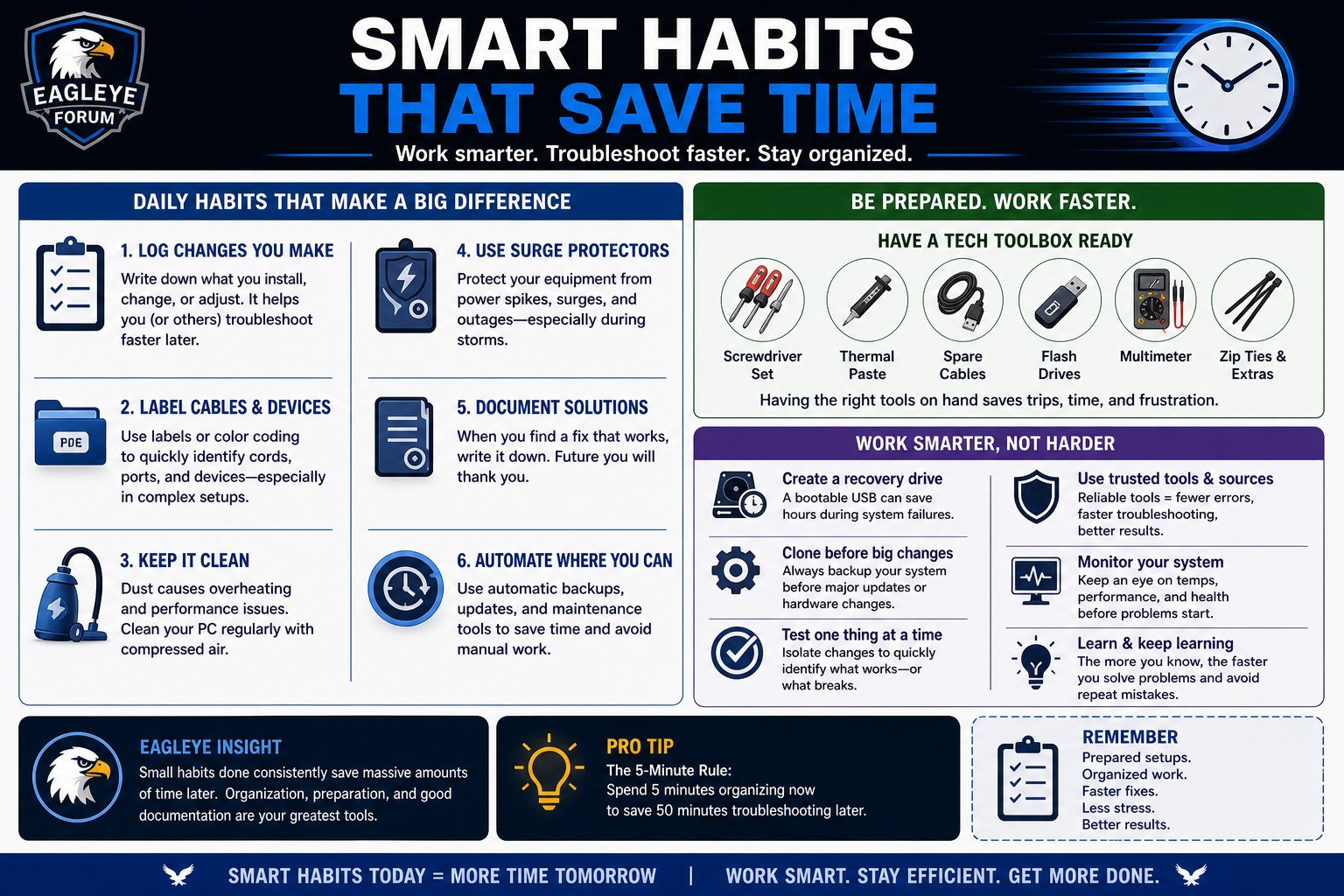
Work Smarter:
- Use surge protectors (especially during storms)
- Keep canned air for dust removal
- Log changes you make during troubleshooting
- Label cords and devices in your workspace
Keep a Tech Toolbox:
- Screwdriver set
- Thermal paste
- Spare cables
- Flash drives
- Multimeter
Advanced Tips (Highly Recommended)
Take your setup to the next level with these:
- Create a bootable recovery USB drive
- Use privacy/security browser extensions:
- HTTPS Everywhere
- uBlock Origin
- Privacy Badger
- Clone your system before major upgrades
- Test components individually when troubleshooting
Most electronics problems aren’t caused by complexity—they’re caused by missed basics.
- No backup
- No updates
- Poor organization
- Rushing troubleshooting
Master the fundamentals, and you’ll solve 80% of problems before they start.
This guide comes from real experience—mistakes, fixes, and lessons learned the hard way.
Whether you’re:
- Fixing a PC that won’t boot
- Upgrading hardware
- Securing your digital life
These habits will save you time, money, and frustration.